
Example with Goldsky (and RedStone oracle)
This app demonstrates reading the Goldsky subgraph to fetch RedStone oracle data from the TIA/USD and ETH/USD feeds. This guide shows you how to fork and customize the demo (source).
The demo uses RedStone price-feed events as a concrete data source. You can reuse the same pattern for other Eden contracts by changing the ABI, address, and GraphQL queries.
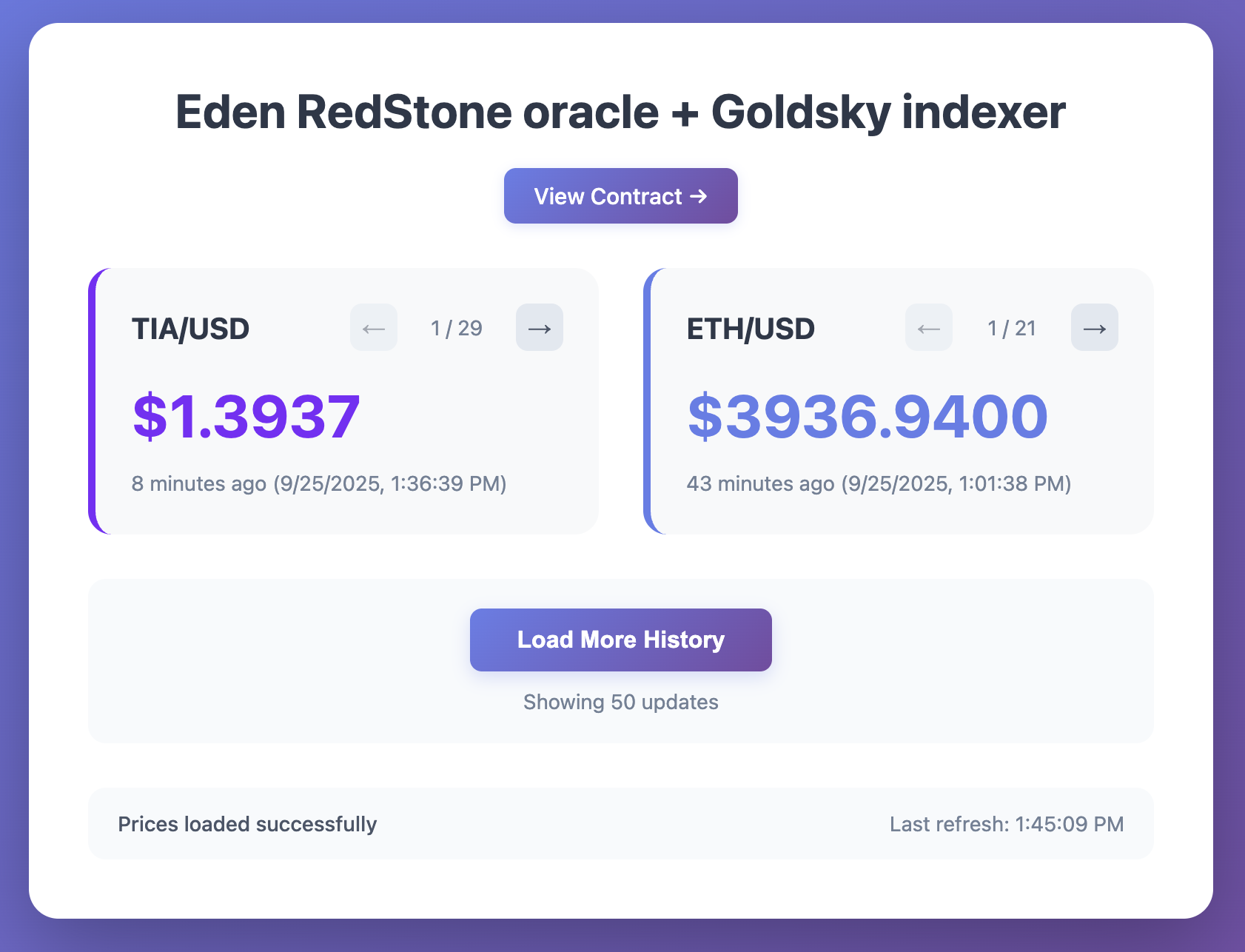
Fork the repository
git clone https://github.com/celestiaorg/eden-goldsky-redstone-demo.git
cd eden-goldsky-redstone-demo
npm install
Update the subgraph endpoint
Edit main.js and replace the SUBGRAPH_URL with your own endpoint from the
quickstart. This is the endpoint you
receive after you deploy the subgraph. See it in the Goldsky dashboard or by running
goldsky subgraph list.
const SUBGRAPH_URL = 'YOUR_GOLDSKY_SUBGRAPH_URL'For a current working demo endpoint, see
eden-goldsky-redstone-demo/main.js.
Run the development server
npm run devVisit http://localhost:5173 to see your dashboard!
Troubleshooting
If you see this error:
Type `Query` has no field `valueUpdates`
your subgraph was deployed with the wrong ABI/event type (often proxy ABI events like
AdminChanged, BeaconUpgraded, Upgraded) instead of the adapter ValueUpdate event.
- The testnet adapter address is
0x2e6495F68C8d8Bd56670Cc6110309Dd1e6Fe5CE0. - The mainnet adapter address is
0x4154f0e4dc70DFA4219309fBea34322225E17b68. startBlockonly changes how far back history is indexed. It does not change schema/entity names.- Redeploy with the
ValueUpdateABI above and then queryvalueUpdates.
Customization ideas (optional)
Add features
- Historical charts using Chart.js or similar
- Alerts when values cross thresholds
- Export historical data to CSV
- Modify the GraphQL query to fetch different
dataFeedIdvalues
Change the data source
- Index events from a different smart contract
- Use Goldsky Mirror to stream data to PostgreSQL for SQL queries
- Combine multiple subgraphs for cross-contract analytics
Deploy your own subgraph
If you want to index different contracts, create your own subgraph. You'll also need to edit the frontend accordingly.
Node.js/JavaScript example
For a programmatic approach, here's how to fetch updates through Goldsky:
const SUBGRAPH_URL = 'YOUR_GOLDSKY_SUBGRAPH_URL'

async function fetchPriceUpdates(skip = 0, limit = 50) {
  const response = await fetch(SUBGRAPH_URL, {
    method: 'POST',
    headers: { 'Content-Type': 'application/json' },
    body: JSON.stringify({
      query: `query PriceUpdates($first: Int!, $skip: Int!) {
        valueUpdates(first: $first, skip: $skip, orderBy: updatedAt, orderDirection: desc) {
          value
          dataFeedId
          updatedAt
        }
      }`,
      variables: { first: limit, skip }
    })
  })

  const payload = await response.json()
  if (payload.errors?.length) {
    throw new Error(payload.errors.map(e => e.message).join('; '))
  }

  // Separate updates by feed type
  const tiaUpdates = []
  const ethUpdates = []

  payload.data.valueUpdates.forEach(update => {
    const isETH = update.dataFeedId.startsWith('0x455448')
    const isTIA = update.dataFeedId.startsWith('0x544941')

    // Convert value (8 decimal places)
    const price = Number(update.value) / 1e8
    const formattedUpdate = {
      ...update,
      price: price.toFixed(4),
      timestamp: new Date(update.updatedAt * 1000)
    }

    if (isETH) {
      ethUpdates.push(formattedUpdate)
    } else if (isTIA) {
      tiaUpdates.push(formattedUpdate)
    }
  })

  return { tiaUpdates, ethUpdates }
}

// Usage
fetchPriceUpdates().then(({ tiaUpdates, ethUpdates }) => {
  console.log('Latest TIA prices:')
  tiaUpdates.slice(0, 5).forEach(update => {
    console.log(`TIA: $${update.price} at ${update.timestamp.toLocaleString()}`)
  })

  console.log('\nLatest ETH prices:')
  ethUpdates.slice(0, 5).forEach(update => {
    console.log(`ETH: $${update.price} at ${update.timestamp.toLocaleString()}`)
  })
})